Gentle app blocker for iPhone
Your phone should work for you. Not against you.
Calma quietly rests the apps that pull you away during the moments you want to protect: deep work, dinner, bedtime. A calm pause instead of a wall. No streaks, no shame.
- Free trial
- Data stays on your iPhone
- No ads



The noise
Why do you keep opening apps you meant to leave alone?
Because it isn't really a decision. You unlock your phone to check the time and land in a feed. Tools that only count minutes can't catch that reflex.
- Limits are one tap from Ignore.
By the time the limit screen shows up, the reflex has already won.
- Walls invite escape.
Blockers that feel like punishment get deleted, or quietly worked around.
- Deleting is a big fix for a small moment.
You don't need to quit Instagram to protect one dinner.
You don't need a wall. You need a pause, at the right moment.
See the pause
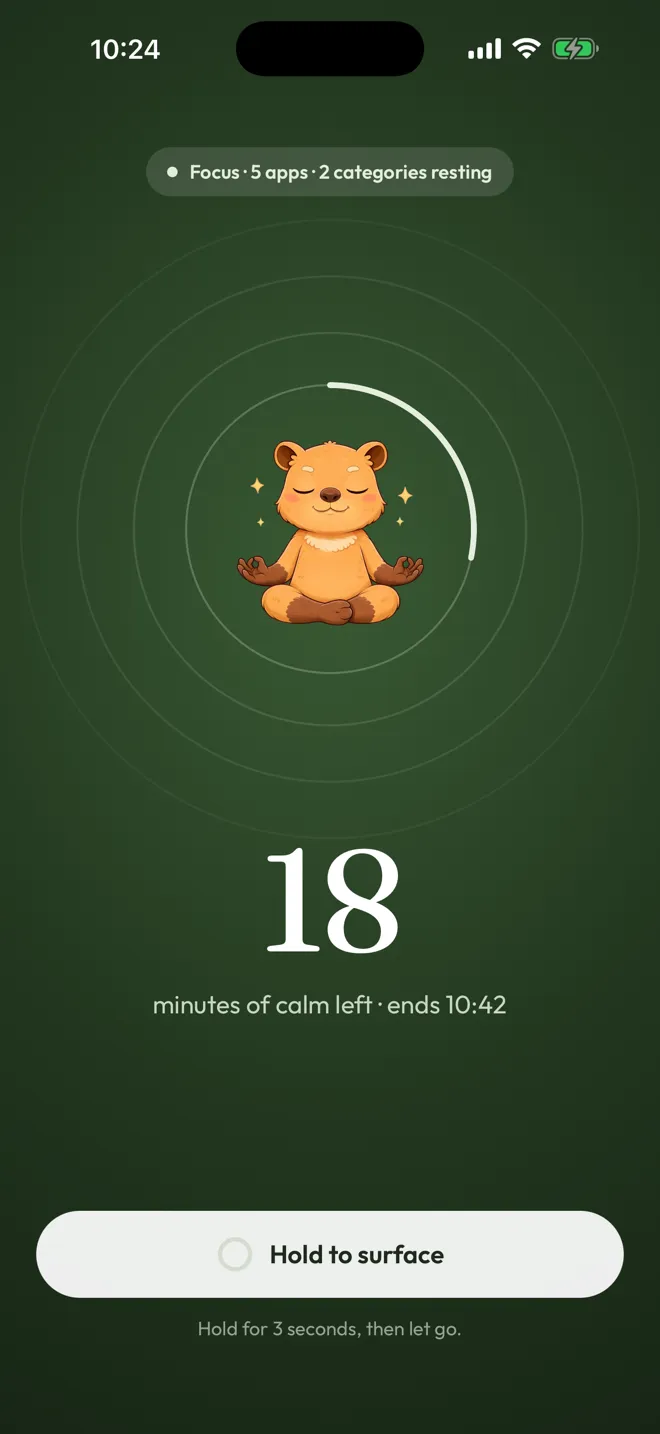
What happens when you open a resting app?
Instead of a wall, a quiet screen that names the moment you chose to protect. The biggest button takes you back to calm.
- It tells you why.
Work Focus protects this moment until 17:00.
The fact is always there, never a guess. - Calm comes first.
One button:
Back to calm
. No lecture, no countdown, no guilt. - You stay in charge.
Ending a focus session early takes a calm 3-second hold. Any Moment can be switched off in the app. Friction, never a trap.
How it works
How does Calma work?
Three steps through your day. Calma is built on Apple's Screen Time, so iOS itself does the blocking.
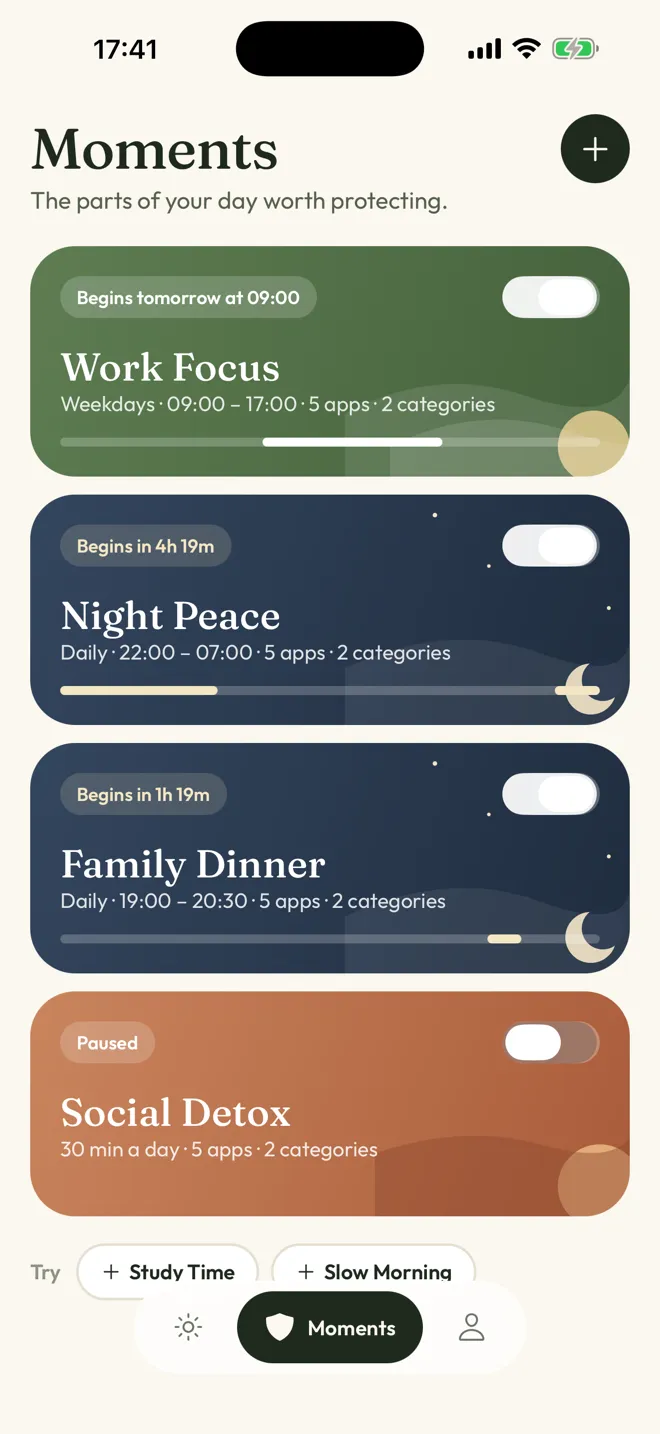
Choose your moments
The parts of your day worth protecting.
Start with Work Focus or Night Peace, or make your own for dinner, study or a slow morning.
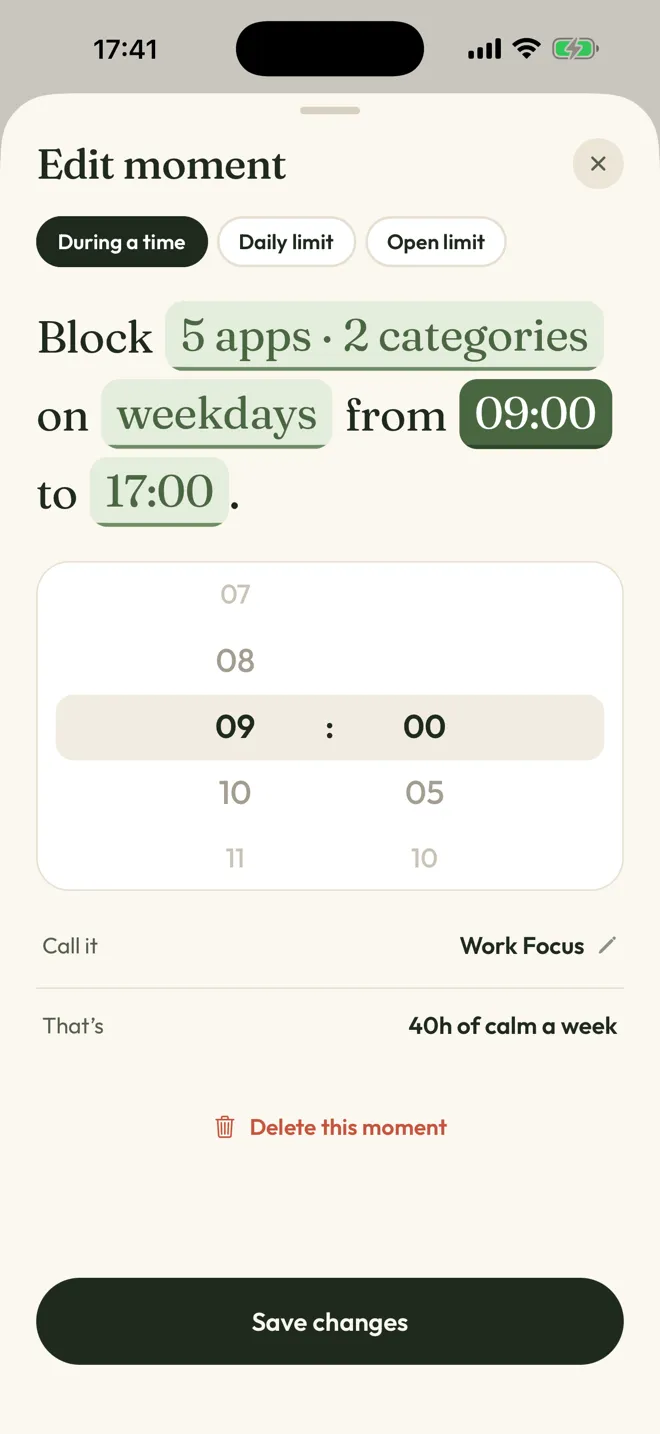
Say it as a sentence
Block 5 apps on weekdays from 09:00 to 17:00.
Tap any word to change it. No settings maze.
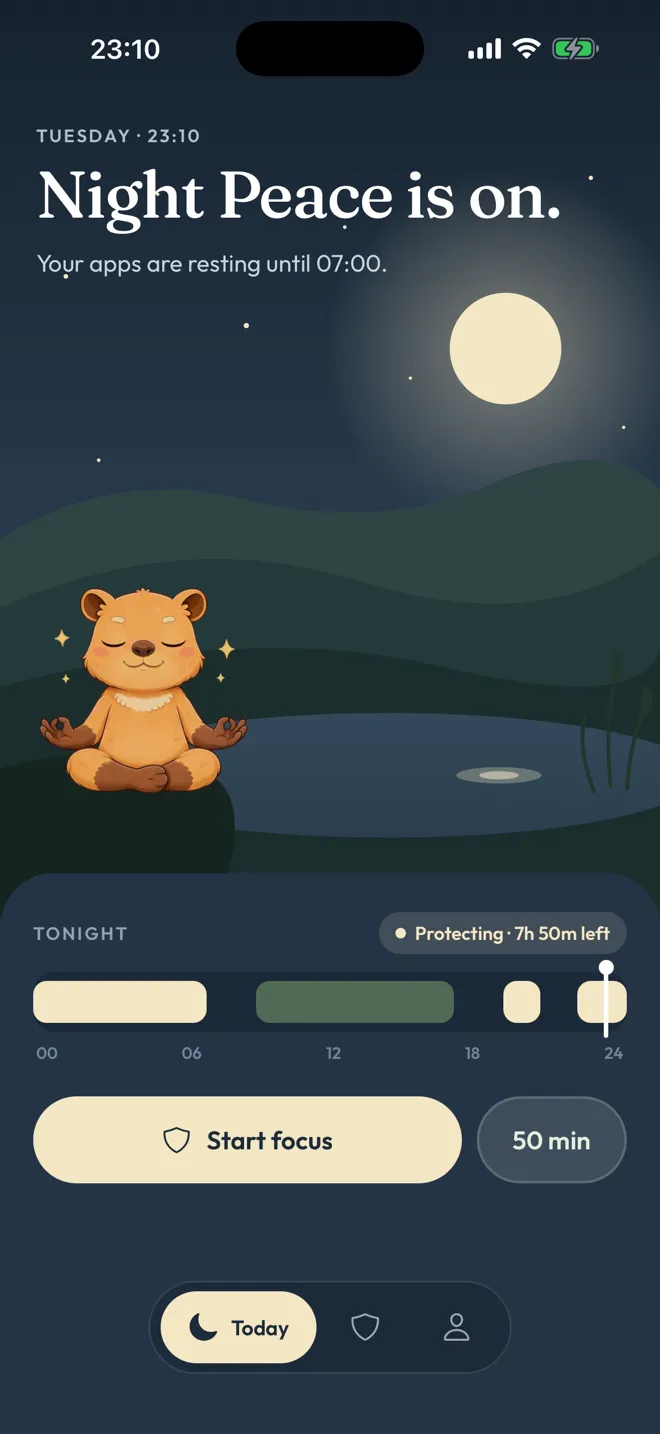
Live your day
Calma rests those apps on time.
Today shows what is protected and until when. At night, it goes quiet too.

Drag the dial, pick your apps, begin a focus session. It ends on its own.
Compare
How is Calma different from Screen Time and hard blockers?
Apple Screen Time counts minutes. Hard blockers build walls. Calma protects moments, with a quiet pause that points you back to calm.
| Feature |  Calma Calma | Apple Screen TimeBuilt into iOS | Hard blockersApps built to be hard to override |
|---|---|---|---|
| When you open a blocked app | A calm screen that names the moment | A limit screen with Ignore Limit | A lock screen, sometimes with no way out |
| Getting past it | With intention: end a focus session with a 3-second hold, or switch the Moment off in the app | One tap | Often impossible until the timer ends |
| Built around | Moments of your day: work, dinner, bedtime | Daily totals per app or category | Sessions and strict schedules |
| Streaks and scores | None, by design | Weekly usage reports | Varies, many use streaks |
| Price | Free to download. Calma Pro unlocks blocking, with a 3-day free trial | Free | Varies |
| Your app activity | Stays on your iPhone | Handled by iOS | Varies by app |
Screen Time is free and already on your phone. If a simple limit works for you, keep it.
Guides
Guides for the moments you want back
How to stay present during dinner without banning your phone
5 min readHow to protect your first hour of work from reflex scrolling
5 min readHow to create an evening wind-down routine that is less feed-led
5 min readHow to protect your morning from news and social feeds
5 min readHard blocker or gentle pause? How to choose an iPhone app boundary
5 min readFAQ
Questions, answered.

Something else on your mind? Write to support@trycalma.app. A real person answers.
Is Calma free?
Calma is free to download, and blocking needs Calma Pro. New subscribers can try it free for 3 days. After the trial, Calma Pro renews weekly or yearly. The App Store shows the exact price in your currency before you confirm, and you can cancel anytime in Settings.
What does Calma Pro include?
Everything that makes Calma work: scheduled Moments, daily limits, open limits, focus sessions and the home screen widget. Without Calma Pro or an active trial, Calma does not block apps. There are no ads in Calma.
Can I get past a block?
Sometimes, on purpose. A focus session can be ended early with a 3-second hold. Any Moment can be switched off in the app. Open-limit rules show an Open app button.
Scheduled Moments and daily limits only offer Back to calm on the block screen, so stepping past them means switching the Moment off in Calma first.
What data does Calma see?
Calma uses Apple's Screen Time. Your app activity stays on your iPhone, and Calma never sees what you do inside your apps. There are no ads, and we don't sell your data. Anonymous usage analytics help us improve the app. The privacy policy has the details.
Why does Calma need Screen Time access?
iOS only lets apps pause other apps through Screen Time. You grant access once, through Apple's own prompt, and you can turn it off anytime in Settings.
Does Calma block websites?
No. Calma blocks apps. To limit websites in Safari, use Screen Time's own Content & Privacy Restrictions in Settings.
Is Calma on Android?
No. Calma is made for iPhone, and there is no Android version.
Tonight
Keep the apps. Protect the moment.
Pick one moment for tonight. Calma will quietly rest the apps that pull you away, and wake them up when it ends.

- Free trial
- Data stays on your iPhone
- No ads