6 ScreenZen alternatives for iPhone in 2026
The best ScreenZen alternatives for iPhone are one sec if you want a similar pause with published research, Jomo if you want to pick how hard each unlock is, Opal if you want a Hard Mode with no way out, Brick if you want a physical key, Screen Time if you want nothing to install, and Calma if you'd rather block apps at set times with no streaks. If price is your main concern, stay with ScreenZen: it is free.

By Antonio Neto · Last verified: · Sources at the end.
 Free trial · Data stays on your iPhone
In one line: Stay with ScreenZen if the wait still works and free matters. Switch if you tap through the wait, or if the new extras get in the way.
ScreenZen alternatives compared
Same fields we use on every comparison page. US prices as of Sep 24, 2026.
| Feature | ScreenZen | Brick | Calma | Jomo | one sec | Opal | Screen Time |
|---|---|---|---|---|---|---|---|
| Price | Free, optional tips $5 to $40 | $59 once for the device, no subscription | $3.99/wk or $39.99/yr | $5.99/mo, $29.99/yr or $99.99 once | $6.99/mo, $19.99/yr or $99.99 lifetime | $19.99/mo, $99.99/yr or $399 lifetime | Free |
| Free tier | Everything | App is free, but needs the Brick | 3-day free trial, then Calma Pro | 1 Session and 1 Action or Limit | One app | 1 rule, unlimited one-off sessions, today's Opal Score | Everything |
| Blocking style | Wait before opening, can grow each time. Optional strict blocks | Tap a physical Brick to block and unblock | Calm block screen at set times | Blocks at set times or after a limit, with unlock challenges | Breathing pause before the app opens | Sessions and rules, with an optional Hard Mode | Time Allowances and a Screen Time Schedule |
| Can you end a block early? | Open after the wait. Strict blocks and a settings lock are optional | Tap the Brick again, or use 1 of 5 Emergency Unbricks | Scheduled blocks: Back to calm only, switch the rule off in the app. Focus sessions: 3-second hold | Pass a challenge: wait, give a reason, password or QR code. Strict Mode rules can't be bypassed | Continue after the pause, or close the app. Pro block sessions can be strict | Break or leave early after a wait. Hard Mode (Pro): no way out, 1 Emergency Pass a week | A Screen Time passcode stops changes. It works best if someone else knows it |
| Schedules | Yes, by day and time | Yes | Yes, overnight and overlapping | Yes | Pro: block sessions and schedules | Yes | Screen Time Schedule time windows |
| Time limits | App goals, with an optional block at the limit | Not publicly stated | 15 min to 2 h a day | Yes | Kicks you out after a set time | Yes, apps and websites | Time Allowances by category |
| Open limits | Strict block after a number of opens | Not publicly stated | 3 to 50 opens a day | Not publicly stated | Not publicly stated | Yes | None |
| Streaks and gamification | Streaks | Usage history and a focus timer that counts blocked time | None | Reports and Squads | Progress charts | Opal Score, leaderboards, rewards | Weekly report |
| Platforms | iPhone, iPad, Mac, Android | iPhone, Android | iPhone | iPhone, Mac | iPhone, iPad, Mac, Android, browsers | iPhone, Android, Mac | iPhone, iPad, Mac |
Who should pick ScreenZen, and who should pick Calma?
Pick ScreenZen if
- You want a free app and the wait before opening still makes you close Instagram.
- You like streaks, unlock timers and ScreenZen's settings lock.
- You want the same app on iPad and Mac, or its halo device for the bedroom.
Pick Calma if
- You wait out the timer and open the app anyway, and want it closed for a whole window instead.
- You want fewer screens between you and your phone: no streaks, goals or prompts.
- You know when you slip, like 10 PM to 7 AM, and want that time blocked.
- You're fine paying $39.99 a year for a quieter app.
Why look for a ScreenZen alternative?
Price is rarely the reason to leave ScreenZen, since it’s free. People usually move on because the wait stopped working for them, or because the app grew features they didn’t want. ScreenZen has 4.9 stars from 50,251 US App Store ratings as of September 24, 2026, so plenty of people are happy with it. The reasons to compare:
- The wait lets you through. ScreenZen’s App Store listing describes “a bit of time before choosing if you need to open your distracting app.” After the countdown, the choice is yours again. If you always choose to open, you need a stop, not a delay.
- Streaks and goals. The listing lists streaks “to encourage you not to exceed your limits.” Some people find that motivating. Others want an app that doesn’t keep score.
- Version 4.0.0 changed the feel. The September 6, 2026 update added Google sign-in “for halo and social features.” In the App Store reviews from the weeks after it, some people complain about extra prompts and new in-app activities. One reviewer wrote that the app “always is asking me to do things instead of opening the app.”
- Setup takes time. ScreenZen has a lot of options: app groups, goals, strict blocks, cooldowns. At least one September 2026 review describes spending hours on setup before the groups behaved as expected.
one sec: best if you like the pause and want research behind it
one sec is the closest match to ScreenZen: a short breathing exercise before a chosen app opens, then you decide. It is also the only app here with a peer-reviewed study that we found. In the 2023 PNAS paper, one sec “decreased users’ actual opening of target apps by 57% after six consecutive weeks.”
Compared with ScreenZen
- Research-backed, where ScreenZen has no published study we found.
- Free for one app only. ScreenZen is free for every app.
- On iPhone, it runs through Shortcuts automations you set up yourself.
Cost: one sec pro runs $19.99 a year in the US App Store, or $6.99 monthly and $99.99 for life. Pick it if you trust a pause and are happy paying for it on more than one app. Our one sec alternatives page goes deeper.
Jomo: best if the wait should be harder on some apps
Jomo turns ScreenZen’s single wait into a menu of unlock challenges. Its features page lists waiting a few seconds, giving a reason, copying a text, entering a password or scanning a QR code. Strict Mode, per Jomo, “makes your rules unbreakable: you can’t delete or bypass them.”
Compared with ScreenZen
- Harder unlocks when a countdown is too easy, like a QR code you keep in another room.
- A Mac app with Focus Filters. Jomo lists iPhone and Mac, not Android.
- A small free plan: 1 Session and 1 Action or Limit.
Cost: Jomo Plus is $29.99 a year, $5.99 a month, or a single $99.99 payment. Pick it if a plain wait isn’t enough friction for your worst app.
Opal: best if you want a mode you can’t talk your way out of
Opal is where people go when friction stops working. Its sessions block apps and websites, and Hard Mode on Opal Pro means, in Opal’s words, “No way out. You can’t turn Opal off.” One Emergency Pass a week ends everything for an hour.
Compared with ScreenZen
- A real stop, where ScreenZen’s default is a wait.
- An Opal Score, reports and leaderboards, more gamified than ScreenZen’s streaks.
- It costs money. Pro is $99.99 a year, where ScreenZen is free.
Cost: Opal Pro is $99.99 a year, with $19.99 monthly and $399 lifetime plans. Pick it if you have tapped through every wait and want a lock. See our Opal alternatives and the head-to-head Calma vs Opal.
Brick: best if you want the key outside your phone
Brick takes the unlock off your screen entirely. You tap your iPhone on a small device to block apps, and you need the device again to unblock. Brick’s FAQ offers five Emergency Unbricks if you lose it, and more by email.
Compared with ScreenZen
- A physical barrier instead of a timer.
- A one-time $59 for the device, no subscription. ScreenZen’s own halo device costs $49, for comparison.
- No iPad or Mac app. Brick lists iPhone and Android.
Cost: $59 for the device, paid once. Pick it if you want something you can leave in the kitchen. Our Brick alternatives page covers the software-only options.
Screen Time: best if you’d rather not install anything
Apple’s Screen Time has no wait before opening. On iOS 27 it has Time Allowances, daily time for categories like Social Media, and a Screen Time Schedule with time windows for work, dinner or the evening. A Screen Time passcode stops you changing the settings.
Compared with ScreenZen
- Already on your iPhone, and free like ScreenZen.
- No per-open delay, no open counts, no streaks.
- Allowances are by category, so apps in one category share time.
Cost: nothing. Pick it if you mainly want a daily cap. Our Calma vs Screen Time page has the full setup.
Calma: best if you want the app closed for the whole evening
Calma is ours, so here it is against ScreenZen. ScreenZen asks you to wait each time you open an app. Calma works on the clock: during the hours you choose, the app shows “Instagram is resting.” with one button, Back to calm. There is no countdown and no continue button. To use the app early, you open Calma and switch the rule off.
The closest Calma gets to ScreenZen’s limited unlocks is an open limit, like 5 opens a day. The block screen then shows Open app, and each open lasts 15 minutes.
Compared with ScreenZen
- A block for a whole window, rather than a wait on each open.
- No streaks, goals or prompts. Calma shows one figure: time protected today.
- iPhone only and apps only. ScreenZen’s website says it blocks apps and websites, and it runs on iPad, Mac and Android.
- Not free. Blocking needs Calma Pro after a 3-day free trial, where ScreenZen costs nothing.
Cost: $39.99 a year or $3.99 a week for Calma Pro in the US, after a 3-day free trial. Pick it if you already know your hard hours. More on how Calma’s app blocker works.
Is ScreenZen still worth it?
Yes, for most people who try it. It is free, it covers apps and websites, and it runs on iPhone, iPad, Mac and Android. If the countdown still makes you put the phone down, there is no reason to pay for anything else.
Switch if you wait out every countdown (Opal, Brick, or Jomo’s harder unlocks), if you want research behind the pause (one sec), or if your problem is one part of the day and you want that time closed (Calma).
How to switch from ScreenZen to Calma
- Turn off ScreenZen’s settings lock first, if you set one, so you can change its rules.
- Remove the app groups for the apps you’re moving, so you don’t get a wait and a block on the same app.
- Install Calma, grant Screen Time access when iOS asks, and choose the same apps in Apple’s picker.
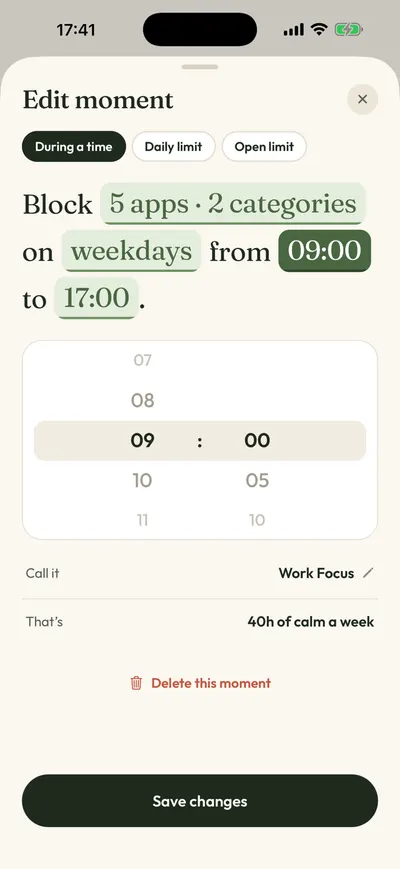
- Open the Moments tab and tap a suggestion like Night Peace, or tap New moment and set the days and times.
- Tap Protect this moment. If you liked ScreenZen’s limited unlocks, add an open limit, like 5 opens a day, for the apps you still want to check.
FAQ
Is ScreenZen really free?
Yes. ScreenZen calls itself “donation-supported,” and its App Store in-app purchases are tips from $5 to $40. The halo device is a separate $49 purchase you don’t need.
What is the closest app to ScreenZen?
one sec. Both put a pause in front of a chosen app and then let you decide. one sec has published research; ScreenZen is free for every app.
Is there a ScreenZen alternative without streaks?
Calma has no streaks, scores or goals. Apple’s Screen Time doesn’t use streaks either; it sends a weekly usage report.
Can I use ScreenZen and Calma together?
Yes. Each app gets its own Screen Time permission from iOS. Give them different apps, for example a ScreenZen wait on Reddit and a Calma bedtime block on TikTok, so you always know which one is stopping an app.
How we compared
On September 24, 2026 we went through the App Store listing, pricing page and help center of every app here, and each price carries that date. We also read ScreenZen’s App Store reviews from September 2026 to see why people were looking elsewhere. We did not test the other apps hands-on; everything here comes from their public pages. A table cell reads “Not publicly stated” when an app doesn’t document something. No app paid to be listed. For more options, see the best app blockers for iPhone.
Sources
- ScreenZen on the App Store (4.9 from 50,251 ratings, version 4.0.0 of Sep 6, 2026, tip prices, compatibility), checked 2026-09-24
- ScreenZen App Store reviews (September 2026), checked 2026-09-24
- ScreenZen website, checked 2026-09-24
- ScreenZen halo page and FAQ, checked 2026-09-24
- one sec on the App Store (in-app purchase prices), checked 2026-09-24
- one sec FAQ, checked 2026-09-24
- Grüning, Riedel and Lorenz-Spreen, PNAS 2023: Directing smartphone use through the self-nudge app one sec, checked 2026-09-24
- Jomo pricing, checked 2026-09-24
- Jomo features (unlock challenges, Strict Mode), checked 2026-09-24
- Jomo on the App Store (monthly price), checked 2026-09-24
- Opal pricing page, checked 2026-09-24
- Opal Help Center: How to use Sessions, checked 2026-09-24
- Brick product page and price, checked 2026-09-24
- Brick FAQ, checked 2026-09-24
- Apple Support: Set Screen Time Schedules and Time Allowances (iOS 27), checked 2026-09-24
- Apple Support: Create, change, or remove a Screen Time passcode, checked 2026-09-24
- Calma on the App Store, checked 2026-09-24
Waiting out the timer every time?
Calma blocks the apps you pick for the hours you pick, with one button on the block screen: Back to calm. Try it free for 3 days.